Screenshots
Beautiful on real tablet screens.
Actual ScoreVibe interface views for reading, editing, annotating, cropping, ABC notation, and practice tools.
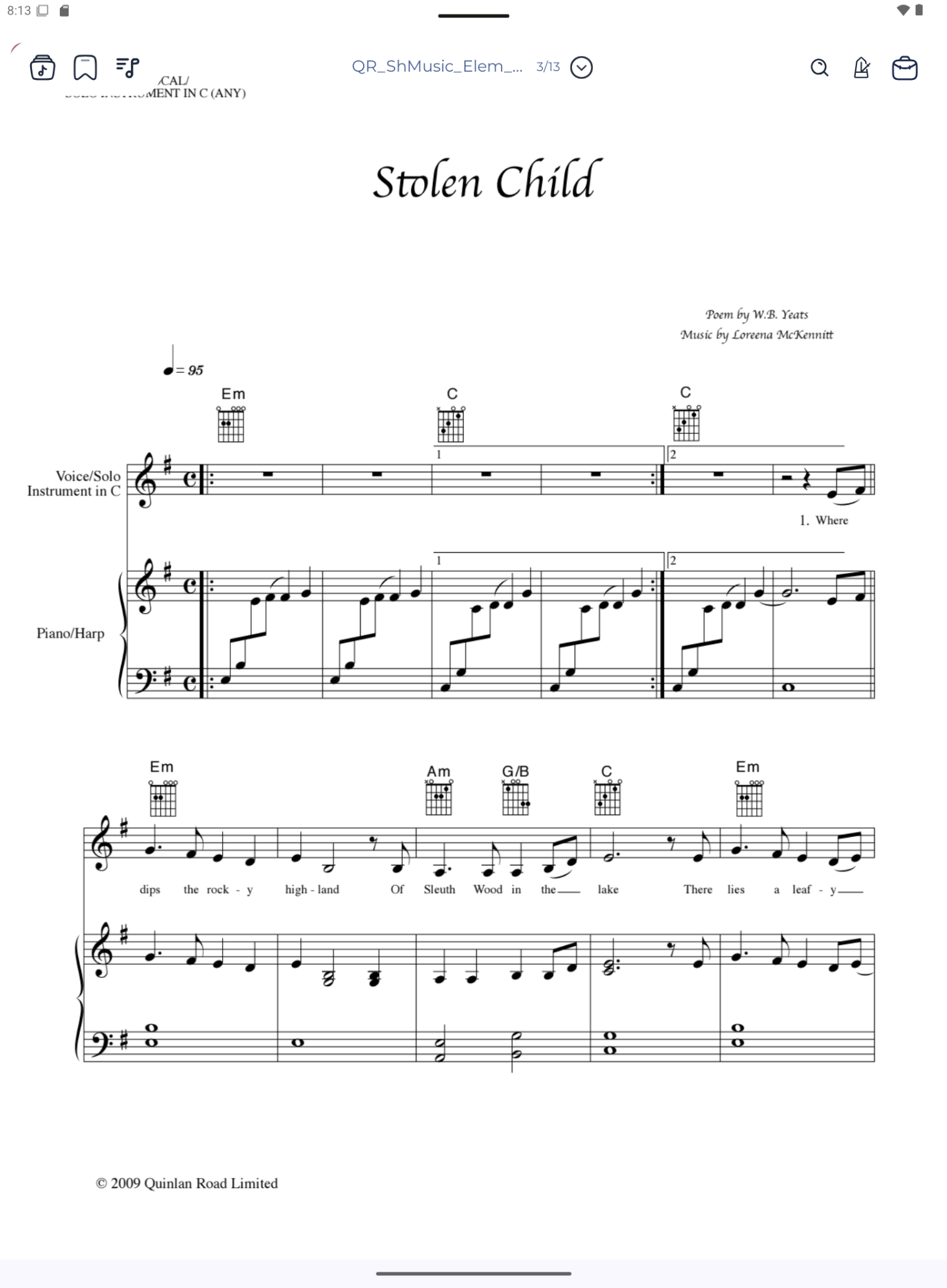
Clean score reader
A distraction-free score viewer with bookmarks, search, navigation, and quick-access controls.
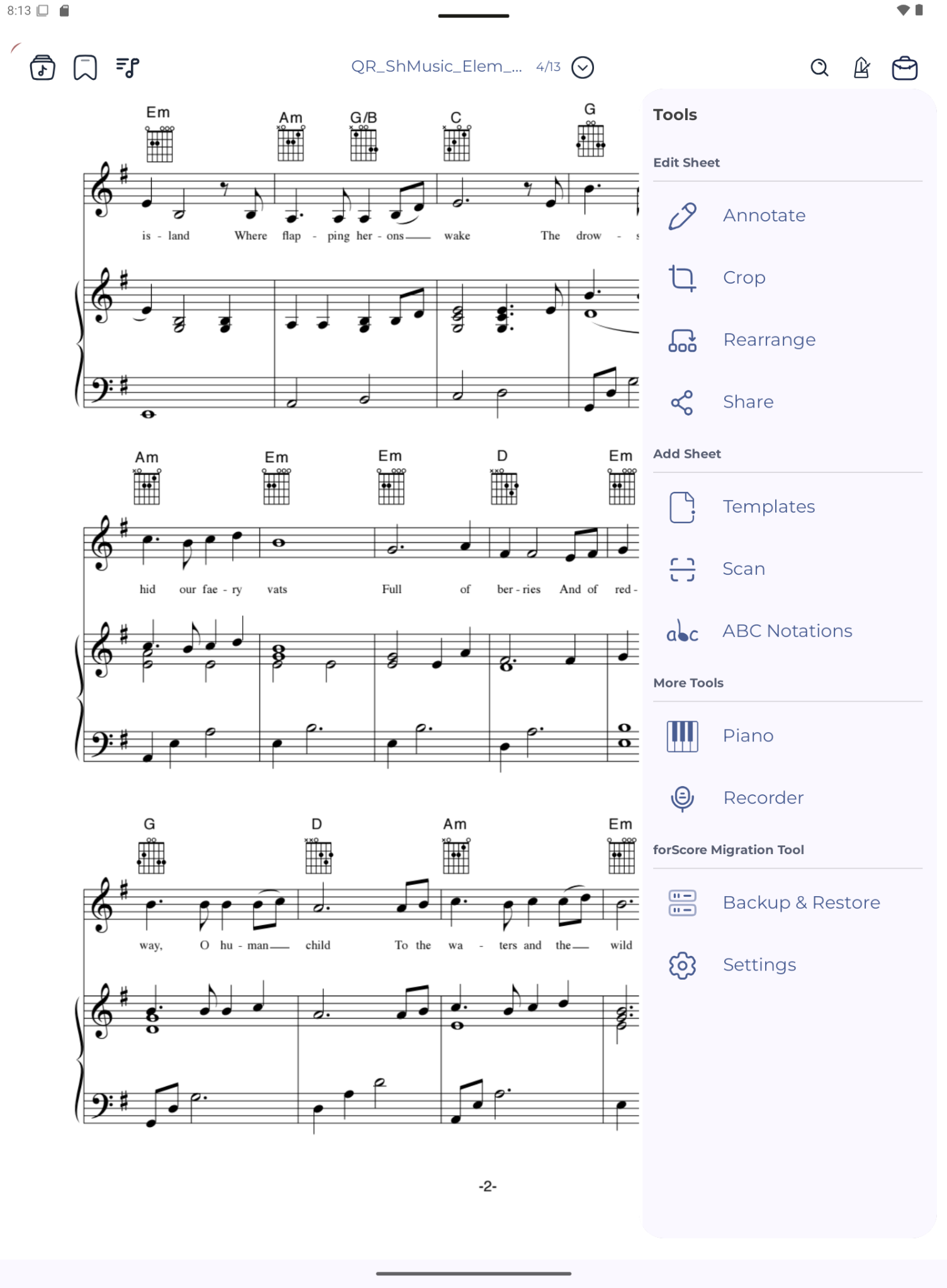
Smart tools panel
Annotate, crop, rearrange, share, scan, open ABC notation, use piano and recorder, and back up your library.
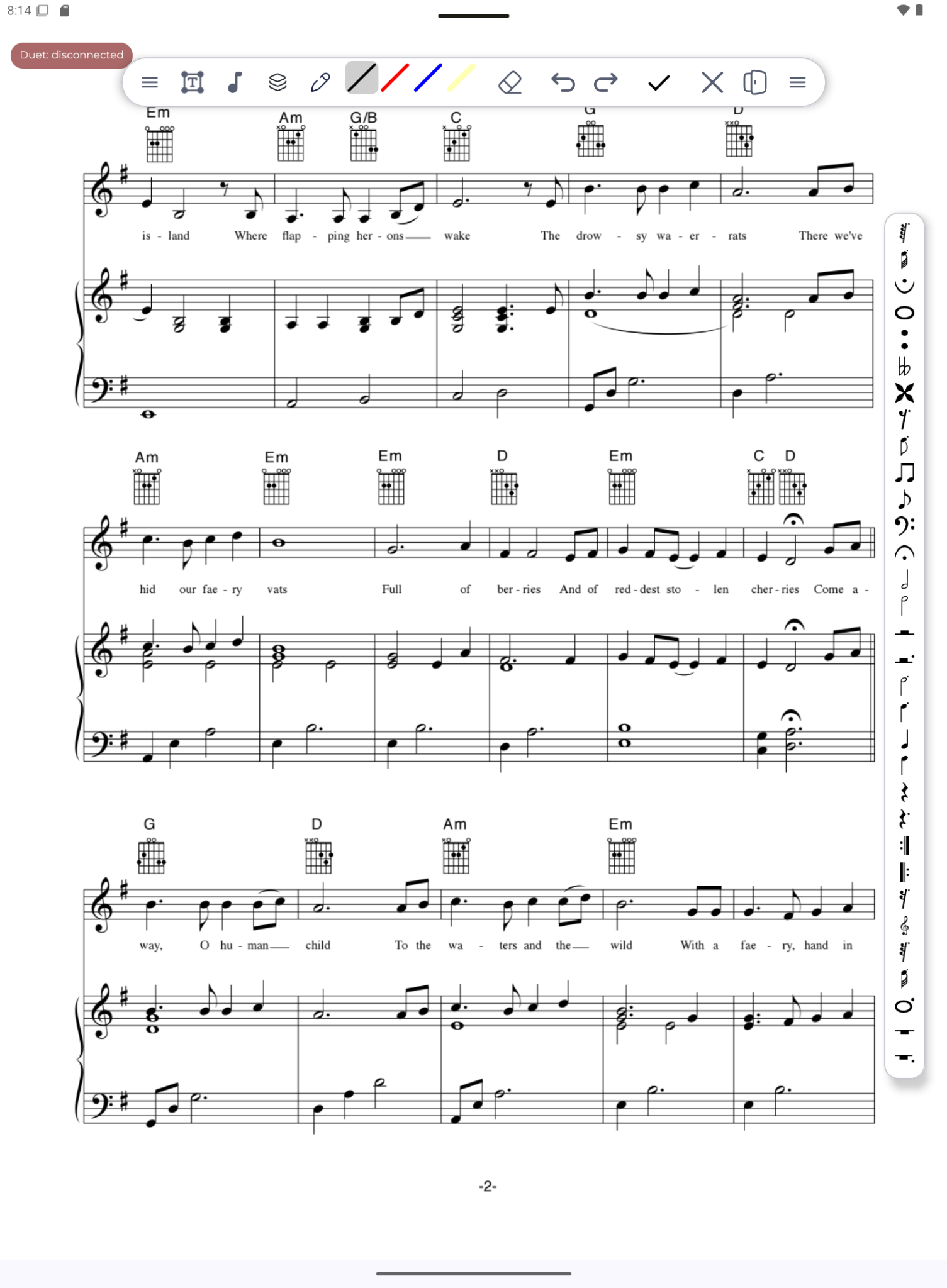
Annotation mode
Draw with colors, erase, undo, redo, confirm edits, and use music notation tools directly over the score.
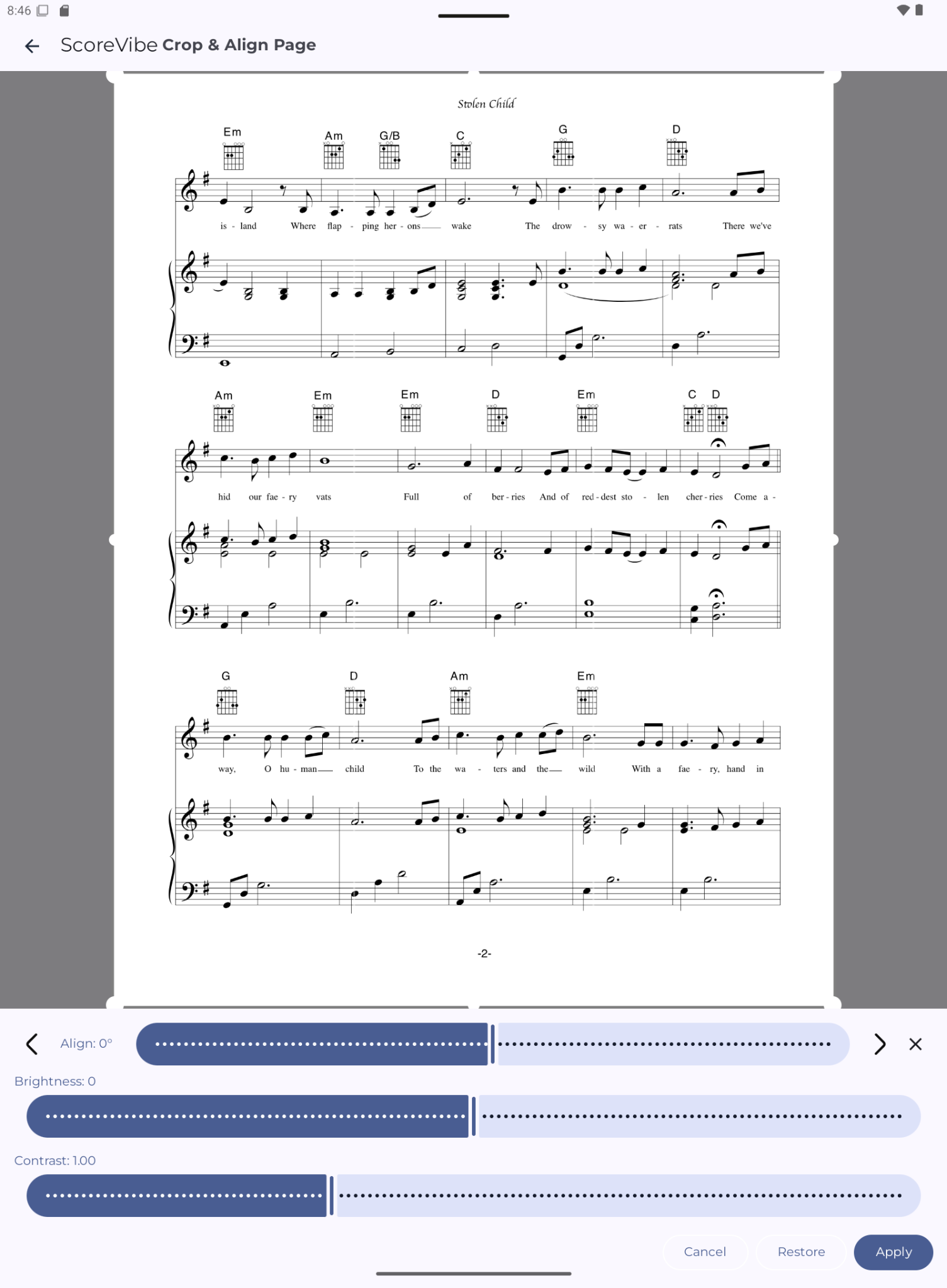
Crop, align, brightness and contrast
Turn imperfect scans into clean pages that are easier to read under performance pressure.
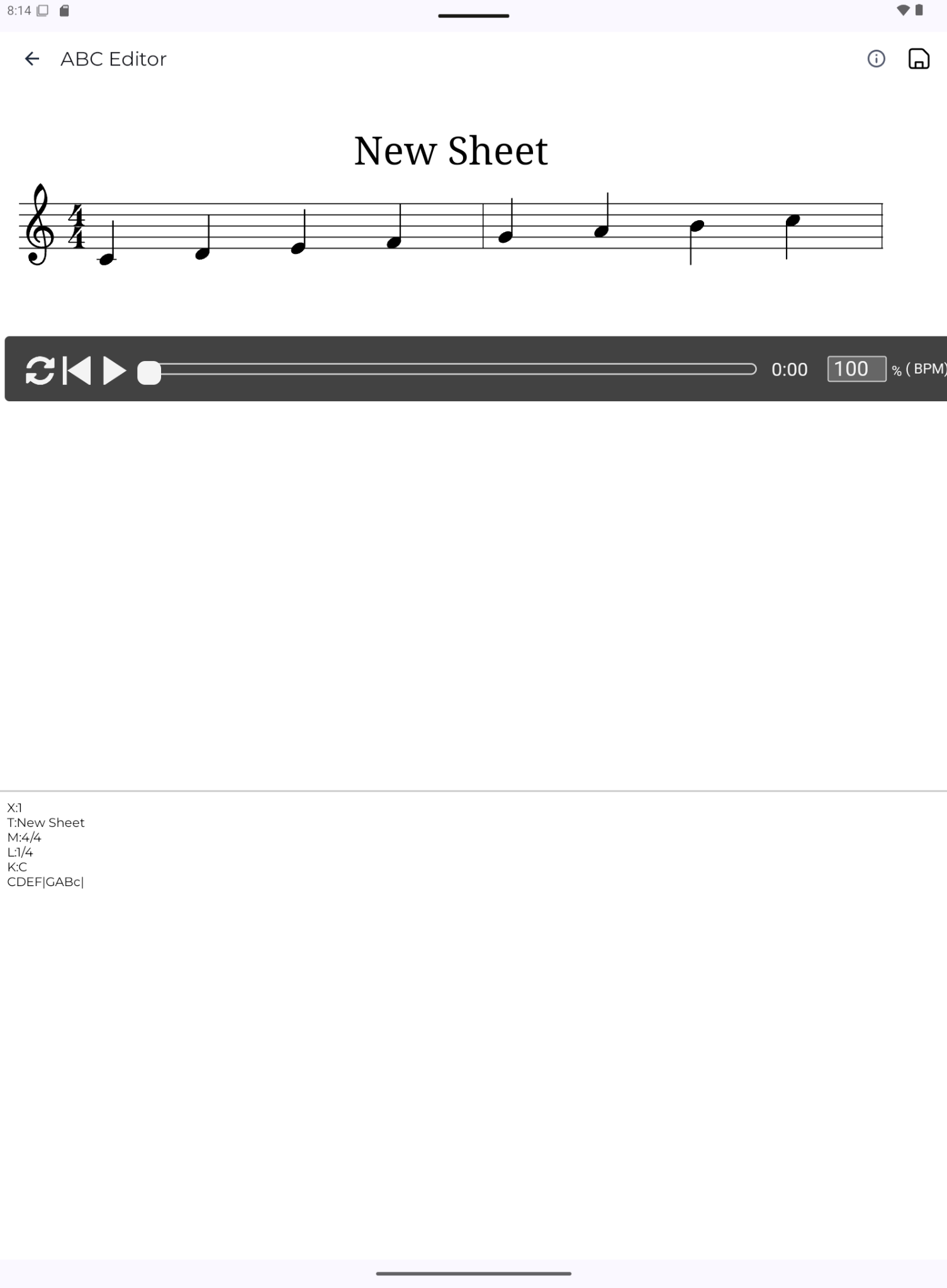
ABC notation editor
Create and edit text-based notation, preview generated sheet music, and export polished results.
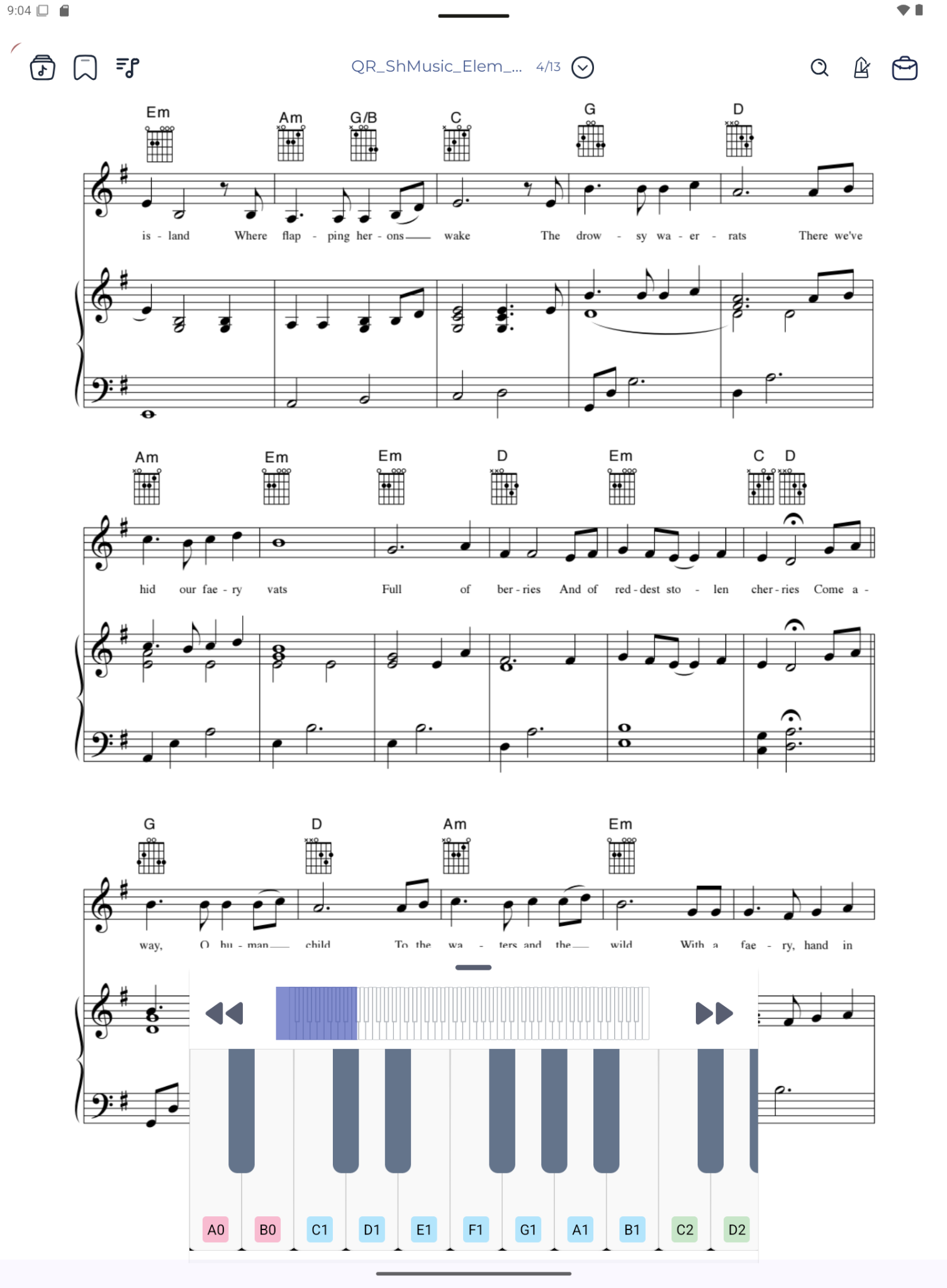
Virtual piano
Practice melodies, check notes, and use pitch references without leaving the current score.